Compare the revisions
Load Before and After, or drop both files on the stage. A deterministic comparison identifies supported changes to geometry, transforms, materials, references, and animation declarations.
 X3Diff
OPEN SOURCE · X3D REVISION REVIEW
AI can accelerate scene creation. Reviewing what changed still needs a clear view. X3Diff connects semantic differences with interactive 3D analysis, so you can inspect revisions before accepting them.
No account. No model upload. Your files are processed in your browser.
X3DIFF IN ACTION
X3Diff builds on X3D, the open ISO standard for 3D on the web from the Web3D Consortium, to make scene revisions easier to inspect, discuss, and trust.
Under three minutes from two scene revisions to evidence: file differences, slices, volume regions, surface deviation, and motion paths.
A PRACTICAL REVIEW LOOP
Use the view that answers your question. Keep the original revisions close and make a decision with the evidence in front of you.
Load Before and After, or drop both files on the stage. A deterministic comparison identifies supported changes to geometry, transforms, materials, references, and animation declarations.
Connect a difference to its 3D object. Slice and measure, inspect sampled surface deviation, explore before-only, shared, and after-only volume, or follow an animated object along its path in both revisions.
Use the report and diagnostics to decide whether to accept, revise, or investigate. When part of a file cannot be compared, the result says so and lists what was skipped. Export a printable report, or the semantic JSON, as evidence for your review process.
TRY IT WITH REAL SCENES
Each example opens in the workbench with both revisions loaded.
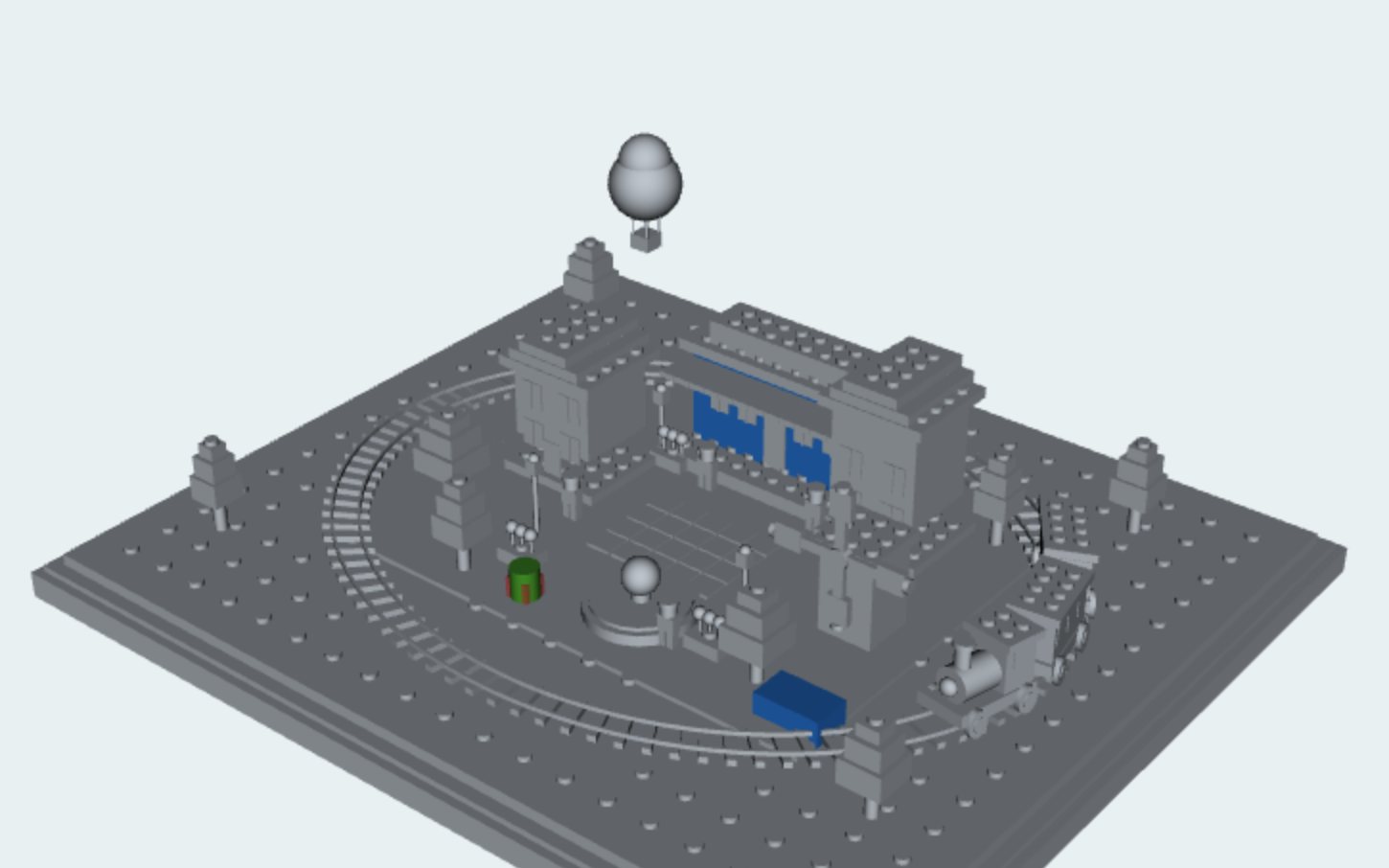 01 / GET ORIENTED
A brick town in grey, with every changed, added, and removed part in colour.
Open Brickhaven ↗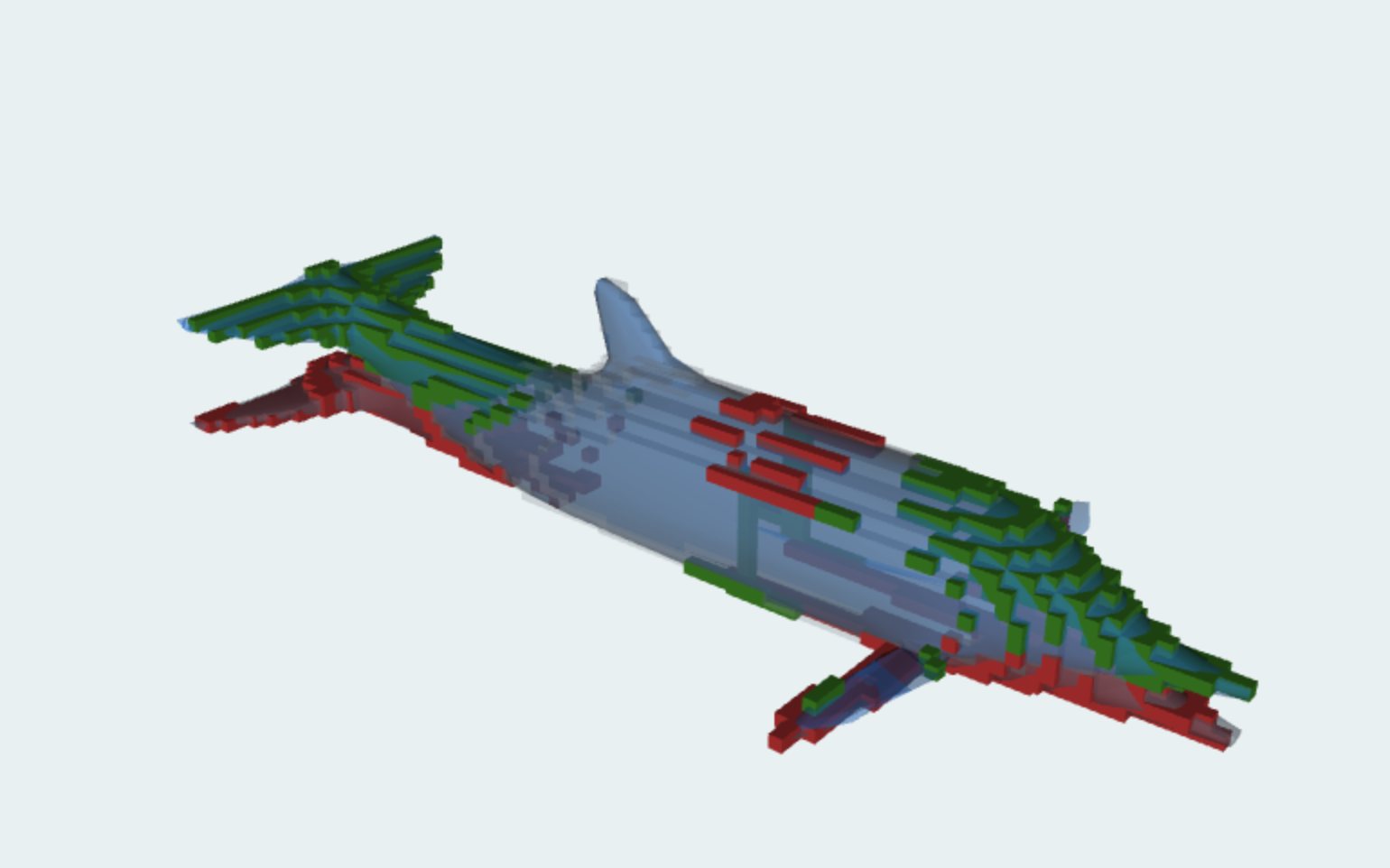 02 / INSPECT DEFORMATION
Explore a dolphin mesh by the space each pose fills, with slices and surface distance.
Open Dolphin ↗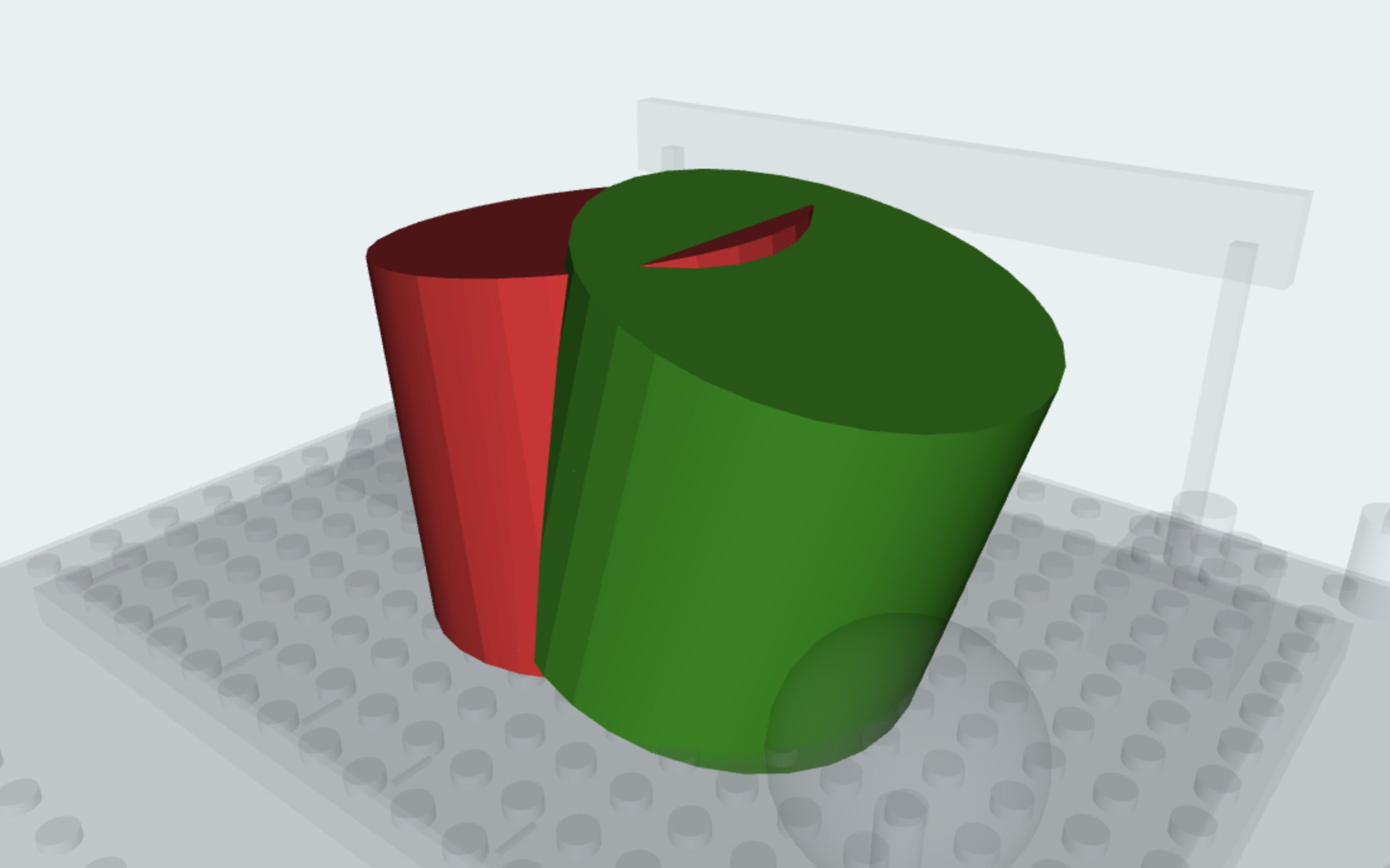 03 / EXAMINE OVERLAP
Compare a shifted housing to see which regions are unchanged, removed, or added.
Open Fit Lab ↗04 / COMPARE MOTIONFollow the Brickhaven railway along its route in both revisions. Motion paths shows where each revision is at the same moment and charts the gap between them, so a change of speed reads differently from a change of path.
Open Brickhaven on Motion paths ↗
Also in the app: Objects, two simple shapes for a first look, and Forgeworks, a vehicle assembly line whose retimed robot arms can be compared the same way. Both animated examples play native X3D animation in the original revision views.
AI-assisted tools make it easier to create and modify digital content, including the scenes, scripts, and structured assets used in Web3D and metaverse applications. This shifts a practical bottleneck from producing a change to understanding it. A plausible-looking result is not enough to establish that an edit preserved the intended structure, dimensions, appearance, or behavior. Reviewers need to know what changed, where it changed, and which conclusions the available evidence supports.
For 3D scenes, neither a text diff nor a rendered image answers these questions alone. A text diff exposes edited values but separates them from their spatial effect. A rendered view makes the result visible but can conceal changes in references, defaults, or animation declarations. Small geometric changes can be hard to locate, while a conspicuous movement may come from a transform rather than a change in the underlying mesh. The gap between these representations makes acceptance decisions slower and harder to justify.
X3Diff addresses this gap with a local, interactive review workbench for two XML-encoded X3D revisions, declared as any version from 3.0 to 4.0. Its purpose is to support better decisions and review gates in workflows where edits may be authored by a person, generated by AI, or produced by another tool. It does not need to know how an edit was created. The comparison itself is deterministic and does not use an AI model.
The semantic layer parses a declared subset of X3D, resolves supported field defaults, and compares typed values with explicit tolerances. It reports changes to supported scene declarations, including geometry, transforms, materials, DEF/USE references, and ROUTEs. Unsupported or ambiguous content produces diagnostics rather than a trusted assertion that the scenes are equivalent: the differences that were found are still shown, under a notice that the comparison is incomplete and a list of what was skipped. The result is a structured report that can be inspected in the interface and exported as a printable HTML page or as JSON.
The visual layer places revisions in a common scene context and links selections to identifiable objects. Five analysis views provide complementary evidence. File differences presents the semantic register. Slice & measure intersects a supported object pair with a shared plane and provides a straight-line ruler. Surface deviation displays sampled nearest-surface distances in both directions. Volume differences measures before-only, shared, and after-only regions for a selected matched pair. Motion paths draws where an animated object travels in each revision, charts the gap between the two, and separates a change of speed from a change of route.
These views are designed around practical questions rather than a single universal similarity score. A reviewer can locate an unexpected change, inspect a cross-section, examine sampled surface distances, step through two animations side by side, and return to the underlying declaration. Analysis modules share the same stage and selection. Settings and layout choices are remembered in the browser.
A review gate is a decision point before a proposed revision is accepted, merged, or released. X3Diff supplies evidence for that decision: changed fields, spatial context, measurements with stated limits, and diagnostics that indicate when further investigation is necessary. For example, a reviewer can check whether an AI-assisted edit changed only the intended material or also modified a transform, then inspect any geometric effect before accepting the revision.
The acceptance criteria remain the responsibility of the project and its reviewer. X3Diff supplies review evidence; approval records, policy rules, automated pass/fail thresholds and CI merge gates belong to the surrounding review process. Its JSON report can serve as an input to that process. A clean report over supported declarations is not a certificate of complete X3D equivalence, physical validity, safety, or fitness for use.
The tool runs as a static web application. User-selected models are read locally; no model-upload service or account is required. A Web Worker performs semantic comparison, while bounded geometry analysis and interactive renderers provide inspection views. Native X3D animation plays in the original revision views. Motion paths compares declared position and rotation animation; the other geometric analyses examine authored static geometry rather than runtime motion.
Support is intentionally explicit. The semantic catalog covers 50 common nodes of X3D 3.3, including lights and viewpoints, not the entire standard, and files declared as 3.0 to 4.0 are read with it. Unsupported nodes, including prototypes and scripts, make comparisons incomplete; their contents are excluded from semantic analysis. Surface distances are sampled at triangle centres; they are not exact continuous maxima. Volume calculations use tessellated primitives or a bounded sampled mesh approximation. Measurements use scene coordinates without automatic registration or unit conversion. Motion paths follows declared interpolators from time zero and does not evaluate sensors or scripts. Unsupported geometry and external scene content remain outside the analysis boundary.
The contribution is a reproducible connection between semantic review and spatial inspection: a reviewer can move from a reported change to geometric evidence while retaining the limits of that evidence. Automated tests cover parsing, comparison, known geometric and motion cases, and browser interactions. Open source code, bundled examples, and documented extension points make the approach inspectable and reusable. The aim is to help people review increasingly rapid streams of changes with greater clarity and accountability.
BRING TWO REVISIONS. ASK BETTER QUESTIONS.